Warp C
 re Dev.
Where innovation meets chaos. Experimental coding lives here.
WARPLAY — Portable Video Player for Windows
WARPLAY is a minimalist portable video player for Windows. Download the .exe, run it, watch. No installation, no background processes, no account. Just paste a URL and press play.
YouTube and Direct URL Playback
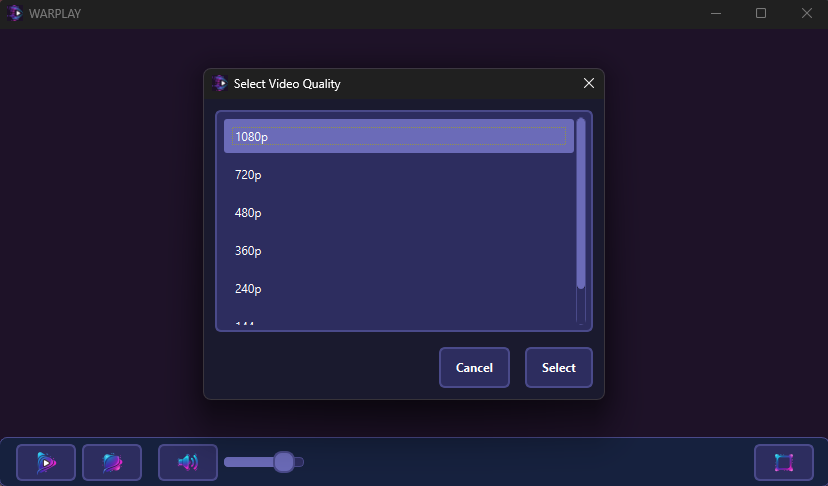
WARPLAY plays YouTube links and direct video URLs (mp4, m3u8 and similar formats) out of the box. Under the hood it uses yt-dlp to resolve YouTube streams, with a built-in quality selector so you can switch between resolutions on the fly — useful when you're on a slow connection or want the best available quality.
Always-on-Top with a Clean Overlay
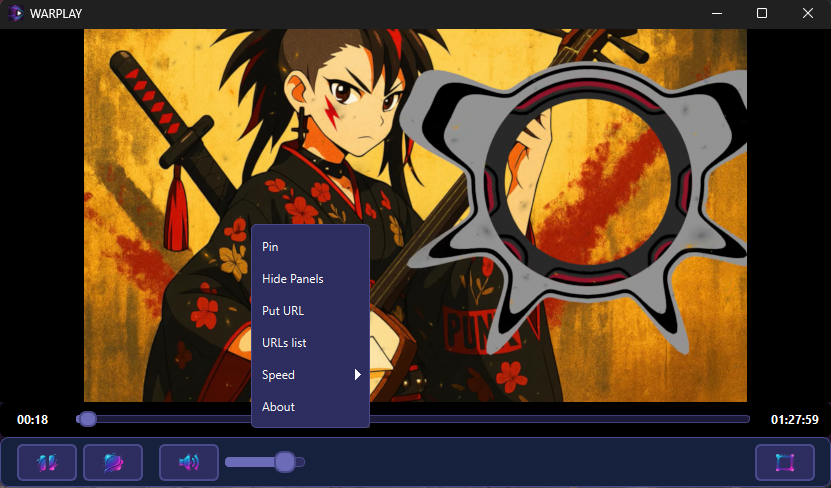
Pin the player above all other windows while you work — useful for coding tutorials, live streams, or anything you need visible while using other apps. The overlay gives you playback controls without cluttering the interface. When you don't need it at all, hide all control panels entirely for a clean, borderless experience — no UI, just the video.
Portable — No Install, No Trace
WARPLAY is portable in the actual sense: no installer, no registry entries. Settings are stored in a config file next to the .exe — move the folder anywhere, it works. Close it and it's completely gone from your system. No background processes, no telemetry, no hidden network requests.
Local URL Playlists
Save your frequently used video URLs in a local list for quick access next session. No cloud sync, no account — the list lives on your machine. Note: playback still requires an internet connection for streaming.
Playback Controls
Speed control up to 2x, hotkey-friendly interface. Built for people who find VLC too heavy and browser tabs
too messy.
Quick Specs
- Platform: Windows — portable, no install
- Supported Sources: YouTube, direct video URLs (mp4, m3u8)
- Key Features: Quality selector, always-on-top, compact overlay, hide panels, speed control up to 2x, local URL playlists
- Price: Free